 Markdown-do
Manage the TODO.md in your project from the terminal. Tasks stay plain markdown checkboxes, in a file you commit with your code.
How it works
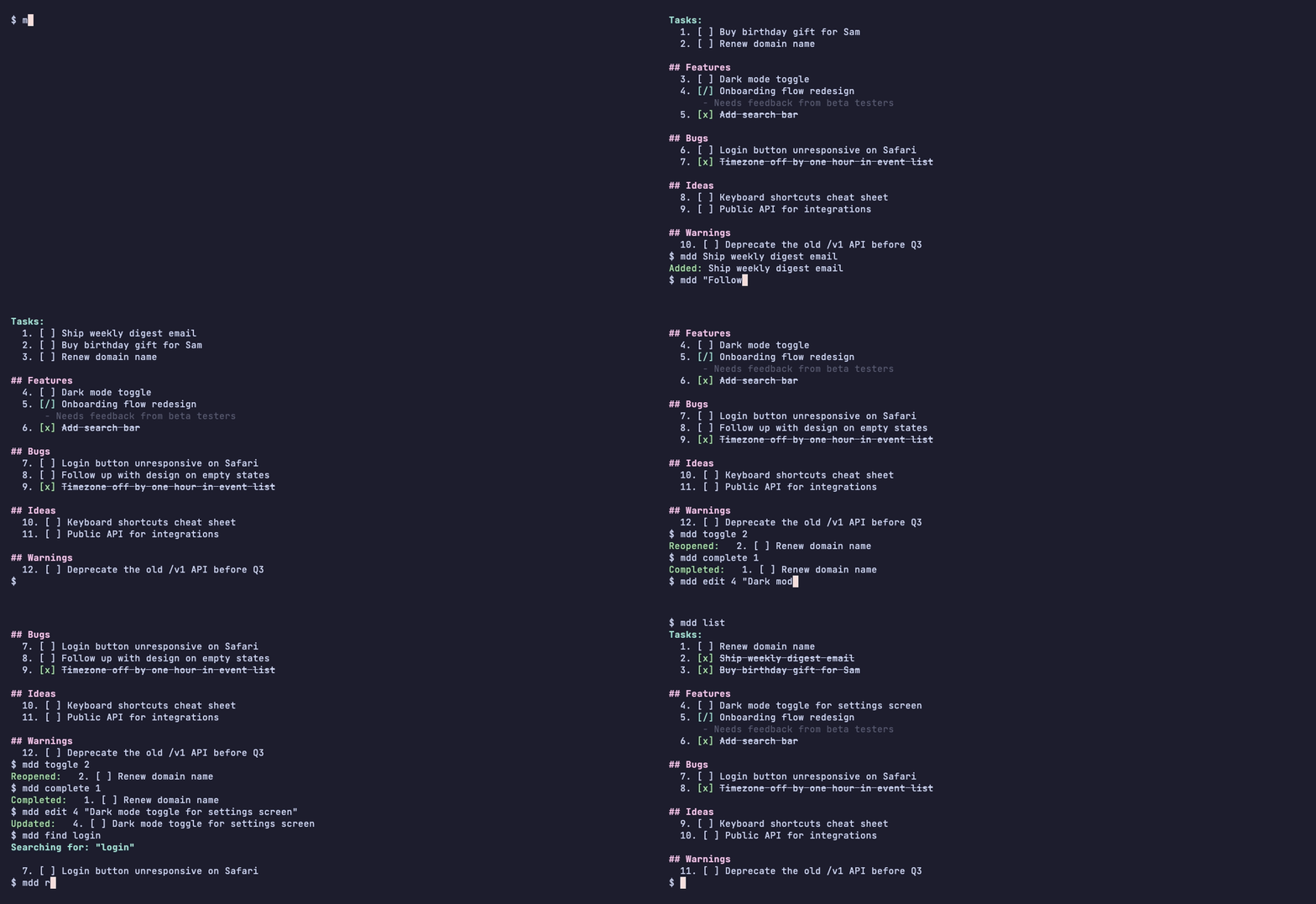
Run mdd followed by the task, in any folder. It finds the TODO.md there, or creates one:
mdd Reply to Sam about the invoice
mdd "Fix the date parser on leap years @bb"
mdd list
mdd complete 1
@bb files the task under Bugs. The file looks like this:
# TODO

- [x] Reply to Sam about the invoice

## Bugs

- [ ] Fix the date parser on leap years
Markdown-do is minimal on purpose. There’s no database, no app and no account: just one file per project, next to the code it’s about. If you stop using mdd tomorrow, nothing breaks. You’ll still have a TODO.md you can read and edit by hand.
It’s also easy to hand to a coding agent. The commands are short and the output is plain text, so an agent can read the list, add what it finds and tick off what it finishes, and you can see every change in git diff.
Features
Plain markdown. Tasks are - [ ] and - [x] checkboxes under ## Sections. New tasks land in an inbox at the top unless you end them with @Section, or a shortcut like @bb for Bugs. On every save, open tasks move to the top of their section.
Short commands. Add, list, find, toggle, complete, edit and remove, each with a short alias (-l, -c, -e) for the ones you type every day. mdd undo reverts the last change.
Every project at once. mdd list -r and mdd find -r look through the TODO.md in every subfolder, so you can see what’s open across all your projects and complete a task from anywhere.
Task IDs that don’t move. mdd tag ABC gives every task an ID like ABC-001 that still works tomorrow, or in another agent session.
Tidy files. mdd lint fixes stray blank lines, [X] checkboxes and empty sections. mdd archive moves finished tasks out of the way without deleting them.
Every feature, including the little ones.
Install
With Go installed:
go install github.com/i-am-fran/markdown-do/v3/cmd/mdd@latest
Without Go, download the binary for your system from the latest release, rename it to mdd and put it on your PATH. After that, mdd update keeps it up to date.
Explore
All docs- Getting startedInstall, first tasks and the file format.
- Adding tasksThe inbox, sections, shortcuts and notes.
- Viewing and findingList and search one file or every subfolder.
- Managing tasksToggle, complete, edit, annotate, remove, archive, undo.
- Task IDsIDs that stay put when tasks move.
- SettingsEvery setting and its default.
- All featuresEvery feature, including the little ones.
- GitHubSource, releases and issues.